Online play guide
Devastate Game Online: Can You Play in a Browser?
This page answers browser and no-install searches for Devastate Game. The verified source trail points to the Windows PC product RJ01186269 by 窓無し on DLsite; no first-party browser build was confirmed on July 15, 2026. A result that says online may instead be a download page, an emulator route, or a different title.
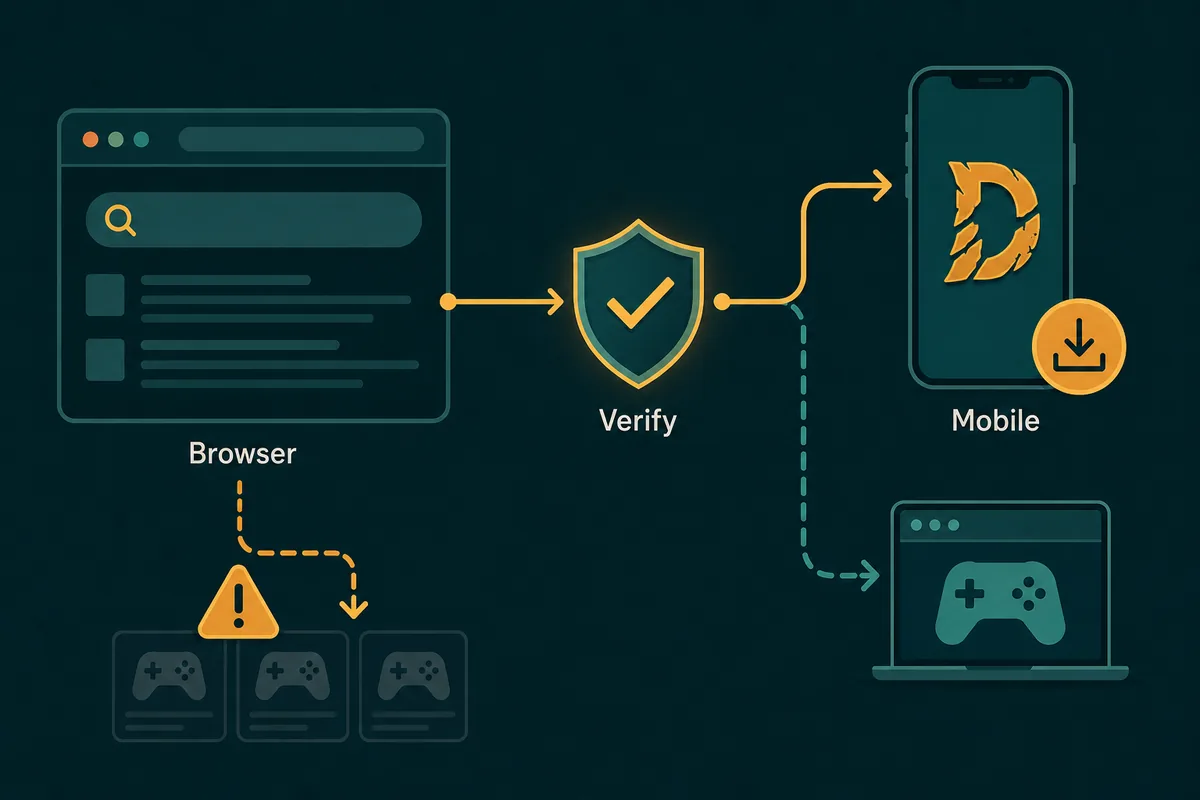
Quick answer: is Devastate playable in a browser?
No first-party browser version is confirmed in the source trail checked for this page. The known product record identifies a Windows PC download, so a search result must explain whether it offers a playable web build, a file download, or only a guide.
Short answer
No verified first-party browser build
The official product evidence points to RJ01186269 on DLsite. It does not by itself prove that a browser, HTML5, or no-install edition exists.
- Check the publisher and product identity first.
- A store page is not the same as browser gameplay.
- Treat an unverified Play Now button as a claim, not evidence.
- Use the purchaser or platform route when the product is a Windows download.
Name check
Keep Devastate separate from Devast.io
Similar spellings can bring unrelated browser games, download pages, or search snippets into the same result set. Match the exact title before following a link.
- Read the domain and page title.
- Check whether the result names RJ01186269 or another product.
- Do not merge Devastate, Devast.io, and Devastated Game.
- Use the name-check guide when the title is ambiguous.
Read the signal behind an online result
The word online describes search intent, not necessarily the delivery method. These signals help distinguish a real browser experience from a download, emulator, or unrelated title.
| Result signal | What it usually means | Safe interpretation |
|---|---|---|
| Browser game / HTML5 | A page should load the game without an installer. | Check the publisher, domain, permissions, and actual behavior. |
| Download / full version | A store or product page provides files or account access. | It answers download intent, not browser-play intent. |
| APK / emulator | The game is delivered through Android or a PC emulator. | It is not proof of a native web release. |
| Devast.io or similar title | A different product may be using a close-looking name. | Verify the title before opening files or signing in. |
Download
A download page is not a browser game
A page can rank for online searches while only offering a product description, a purchase route, or an installer. Look for the actual delivery method instead of relying on the snippet.
- Look for file type, account, or purchase language.
- Do not count a trailer or screenshot as playable access.
- Keep browser and Windows download questions separate.
Emulator
An emulator is a delivery method, not web play
If a guide asks you to install an Android emulator, the game is still running as an app inside that emulator. This can be useful for PC access but is not a browser edition.
- Confirm the Android package and emulator steps.
- Use the PC guide for controls and setup.
- Avoid random EXE files advertised as an emulator shortcut.
Search result
A snippet can mix multiple products
Search systems may connect Devastate with Devast.io, APK mirrors, or similarly named pages. The visible title, domain, platform, and source must agree.
- Read the full page before clicking Download.
- Compare the product ID or publisher when available.
- Leave the result if its identity changes between sections.
Three checks before using a browser link
Use this short review whenever a result promises instant play, a free browser version, or a one-click online unlock.
1
Read the URL and page identity
The domain, title, publisher, and product wording should describe the same game. A generic file host or unrelated title is a warning sign.
- Prefer a recognizable publisher or store domain.
- Check the exact game name in the heading.
- Do not trust a copied logo or thumbnail.
2
Confirm what actually loads
A real browser experience should explain its controls and load behavior without first demanding an unknown extension, executable, or forced redirect.
- Do not install an unknown browser extension.
- Stop when a page asks for a suspicious download.
- Check whether Play opens a game or only another landing page.
3
Separate access from safety
Even if a page opens in a browser, it may still be a deceptive mirror or a phishing page. Browser delivery does not make a source official.
- Check redirects and permission requests.
- Do not submit purchase or login details to an unverified mirror.
- Use Safe Download for APK, EXE, torrent, and mirror warnings.
Choose the next page for your real task
Once the result is identified, use the narrowest guide. This keeps online, APK, PC, and safety questions from competing with one another.
Download
You need the verified platform route
Use the Download hub to compare the known Windows product trail with Android, iOS, PC-emulator, and web claims.
- Platform comparison
- Product and source notes
- Installation boundaries
Android
You are looking for an APK
Use the APK page when the real question is Android package identity, version, permissions, or an APK mirror.
- Package check
- Version and permissions
- Android source warnings
PC
You want to play on a computer
Use the PC guide for emulator setup and controls. Do not infer a native Windows executable from a PC keyword alone.
- Emulator setup
- Controls
- Native EXE caution
Safety
A link asks you to download a file
Use Safe Download when the result includes an APK, EXE, torrent, mod, short-link chain, or unclear mirror.
- Source checks
- Redirect warnings
- Safer next step
Devastate Game online FAQ
Is there an official Devastate browser version?
No first-party browser build was confirmed in the source trail checked for this page. The verified product record points to a Windows PC purchase.
Can I play Devastate without installing anything?
A no-install version is not confirmed. Treat a browser claim as unverified until the publisher, domain, and actual page behavior match.
Is Devastate the same as Devast.io?
No. Similar spelling is not product identity. Check the title, domain, publisher, platform, and source before following a result.
Is a Play Now button proof that the game is safe?
No. It may lead to a download, redirect, extension prompt, or unrelated page. Review the source and use the Safe Download guide for file warnings.
Where should I go if I want Devastate on PC?
Use the PC guide for emulator setup and controls. A PC search does not prove that a native Windows EXE exists.
Source trail for the online answer
These first-party or creator-linked pages identify the known product route. They do not prove that every online or mirror result is official.
DLsite RJ01186269
Known Windows product record and purchase context.
Open DLsiteCi-en creator profile
Creator-linked page used to compare product and version signals.
Open Ci-en